How many USB ports does a motherboard have?
A motherboard usually has between 4 and 12 USB ports, but the exact number depends on the motherboard model, size, and type. Some USB ports are already available on the back of the motherboard, while others come from internal USB headers that connect to the front of your PC case.
Think of a motherboard like a house wall with electric sockets 🏠.
Some sockets are visible on the wall (rear USB ports), and some are hidden inside the wall and come out to your table through extension wiring (front panel USB ports). Together, they decide how many devices you can connect.
In this detailed guide, you’ll learn:
- How many USB ports most motherboards have
- The difference between rear USB ports and internal headers
- How motherboard size affects USB count
- How to add more USB ports if needed
This will help you choose the right motherboard or understand the one you already have.
What Is a USB Port on a Motherboard?
A USB port on a motherboard is a small connection point that lets your computer talk to external devices. These devices include a keyboard, mouse, USB flash drive, printer, webcam, or external hard drive.
In simple words, a USB port is like a door 🚪.
- Your device knocks on the door
- The motherboard opens it
- Data and power go in and out
Two important jobs of a USB port
A USB port does two things at the same time:
- Transfers data
For example, when you copy photos from a USB drive to your PC. - Provides power
For example, when your phone charges after plugging into the PC.
Where USB ports exist on a motherboard
USB ports come from two places:
1️⃣ Rear USB ports (Back panel / I-O panel)
- These are already visible
- Found at the back of the PC
- You plug devices directly into them
2️⃣ Internal USB headers
- These are inside the PC
- They connect to front case USB ports
- You don’t see them unless you open the case
Think of it like a house again 🏠
- Wall sockets = rear USB ports
- Hidden wiring that reaches your table = internal USB headers
Why this matters
Many beginners think:
“My motherboard only has 6 USB ports.”
But in reality:
- It may have 6 ports at the back
- Plus 4 more at the front
- Total = 10 usable USB ports
So to know the real number, you must count both rear ports and internal headers.
USB Ports on the Back Panel (Rear I/O)
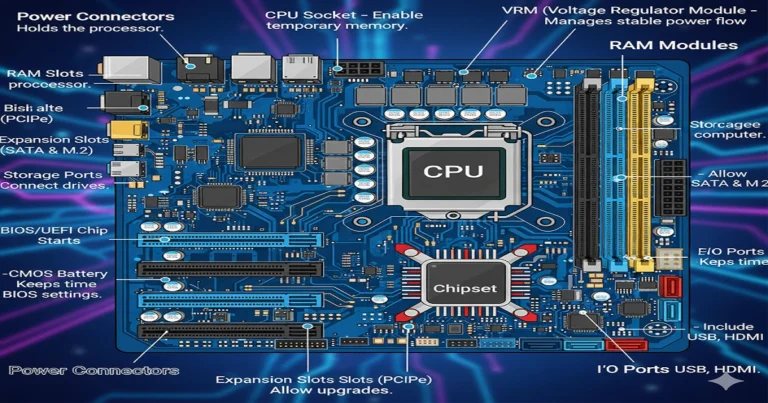
The back panel, also called the rear I/O panel, is the area at the back of your computer case. This is where you plug in devices like your keyboard, mouse, USB drive, printer, or Wi-Fi adapter.
These are the USB ports you can see immediately, without opening the PC.
How many USB ports are on the back panel?
On most modern motherboards, the back panel usually has:
- 4 to 8 USB ports on budget or mid-range motherboards
- 8 to 12 USB ports on gaming or high-end motherboards
The exact number depends on:
- Motherboard price
- Motherboard chipset
- Whether it is gaming, workstation, or basic
Think of it like houses 🏠
- A small house has fewer wall sockets
- A bigger house has more sockets in every room
Same idea with motherboards.
Types of USB ports on the back panel
Not all USB ports are the same. They come in different speeds and shapes.
🔹 USB 2.0
- Usually black ports
- Slower speed
- Used for keyboard and mouse
- Common count: 2–4 ports
🔹 USB 3.0 / USB 3.2 Gen 1
- Usually blue ports
- Faster than USB 2.0
- Good for USB drives and external hard disks
- Common count: 2–6 ports
🔹 USB 3.2 Gen 2 / Gen 2×2
- Very fast
- Used for high-speed storage
- Found on gaming and high-end boards
🔹 USB Type-C
- Small, reversible port (can plug either way)
- Common on modern motherboards
- Usually 1 or 2 ports on the back panel
Example (real-life style)
Imagine your motherboard back panel like a multi-socket switchboard:
- 2 slow sockets → for fan or small devices
- 4 fast sockets → for TV, fridge, washing machine
- 1 modern socket → for smart devices
Each socket works, but speed and power differ.
Important note (many beginners miss this)
Even if a motherboard has:
- 10 total USB ports
It does NOT mean:
- All are high-speed
- All are USB 3.x
Always check:
- Port type
- Port version
Not just the total number.